Description
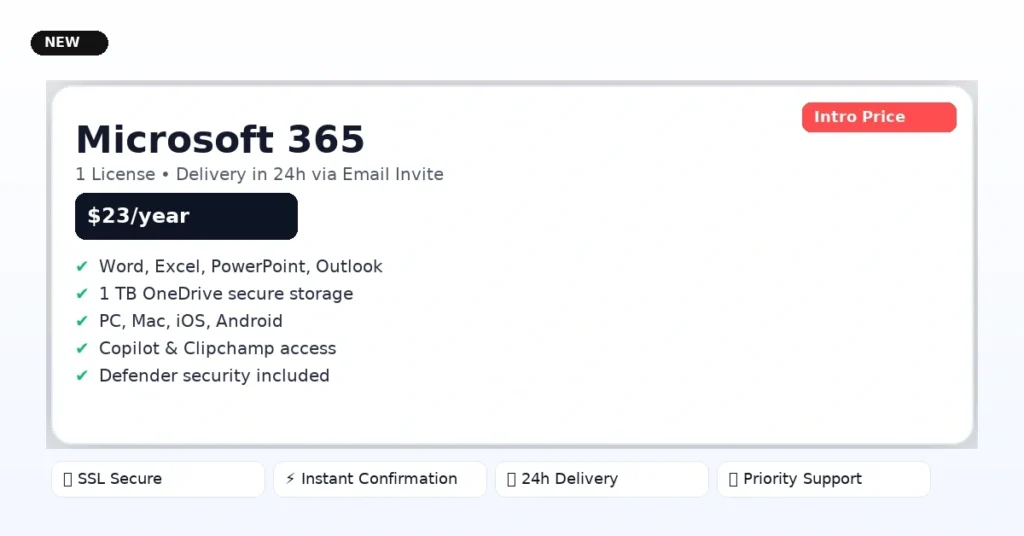
Microsoft 365 — $23/year • 1 License
Cheaper than retail. Delivery within 24 hours via invite link to the email you use at checkout.
 SSL Secure Checkout
 Instant Order Confirmation
 24h Delivery Window
 Priority Support
Everything You Use — Always Up to Date
- Premium Office apps: Word, Excel, PowerPoint, Outlook
- 1 TB OneDrive secure cloud storage
- Use across PC, Mac, iOS & Android (sign in on multiple devices)
- AI features like Microsoft Copilot, Designer & Clipchamp access
- Security essentials: Defender & ransomware protection
All features depend on your Microsoft 365 tier; the invite enables a full consumer Microsoft 365 seat with the benefits provided by Microsoft for that seat.
$23 / year
Comparable retail: $99.99/yr*
- 1 license tied to your Microsoft account
- Invite sent to your checkout email
- Renew annually at the same locked price
- Cancel anytime before renewal
Why so affordable?
We buy legitimate Microsoft 365 Family bundles and allocate individual seats. Buying at scale lets us offer the same functionality for much less , while we handle provisioning, support, and renewals for you.
Compliance note: your seat is added via Microsoft’s official invite flow. Usage must follow Microsoft consumer terms; see FAQs below.
If you skip today…
- Keep paying 4–5× more elsewhere
- Lose 1 TB cloud backup safety
- Miss Copilot productivity boosts
- Delay portfolio-ready docs & decks
*Per Microsoft 365 Personal capability. Family seats offer equivalent per-user usage; see Microsoft specs.
Loved by smart buyers
“Got the invite same day. Logged in, everything works. Finally ditched my $100 renewal.”
“Excel + Copilot at this price is a no-brainer. Saved hours on reports already.”
“1 TB backup for family photos, and Word/PowerPoint on all our devices — smooth.”
“Delivery took ~3 hours. Clicked the Microsoft invite, done. Great support.”
Frequently Asked Questions
What exactly do I get for $23/year?
One Microsoft 365 consumer seat (via official invite) attached to your Microsoft account, with the apps and benefits Microsoft provides for that seat—Office apps, 1 TB OneDrive, security features, and access on multiple devices.
How and when is it delivered?
Within 24 hours you’ll receive a Microsoft invite link at the email you used at checkout. Open it, accept, and your seat activates instantly. We’ll send simple steps with screenshots.
Why is it cheaper than buying direct?
We purchase Microsoft 365 Family bundles in volume and provision individual seats. Buying in bulk lets us pass savings while still providing support and renewals.
Is this compliant with Microsoft’s rules?
We use Microsoft’s own sharing/invite system. Microsoft 365 Family supports sharing with up to five others via the Family group. Usage must follow Microsoft’s consumer terms; seats aren’t for resale or business tenancy migration. If Microsoft changes consumer sharing terms in the future, we’ll provide options or pro-rated refunds.
Can I use it on multiple devices?
Yes. Microsoft 365 allows you to sign in on multiple devices (PC/Mac/mobile). Exact limits follow Microsoft’s policy for your seat (e.g., sign in on up to five devices simultaneously for Personal).
Do I keep my existing files and email?
Yes. Your data stays in your Microsoft account. OneDrive (1 TB) keeps your files backed up and synced.
What if I want to cancel?
You can cancel anytime before renewal from your account. Access remains active until the end of your paid period.
What happens if delivery is delayed?
It rarely happens. If we miss 24 hours, ping support and we’ll prioritize or refund at your request.
Need full course access too?
Our Yearly Membership unlocks 100+ courses for just $20/year; Lifetime is $49.50 (limited-time).
Earn with us
Join the affiliate program and earn commissions promoting KuKuCourses products.