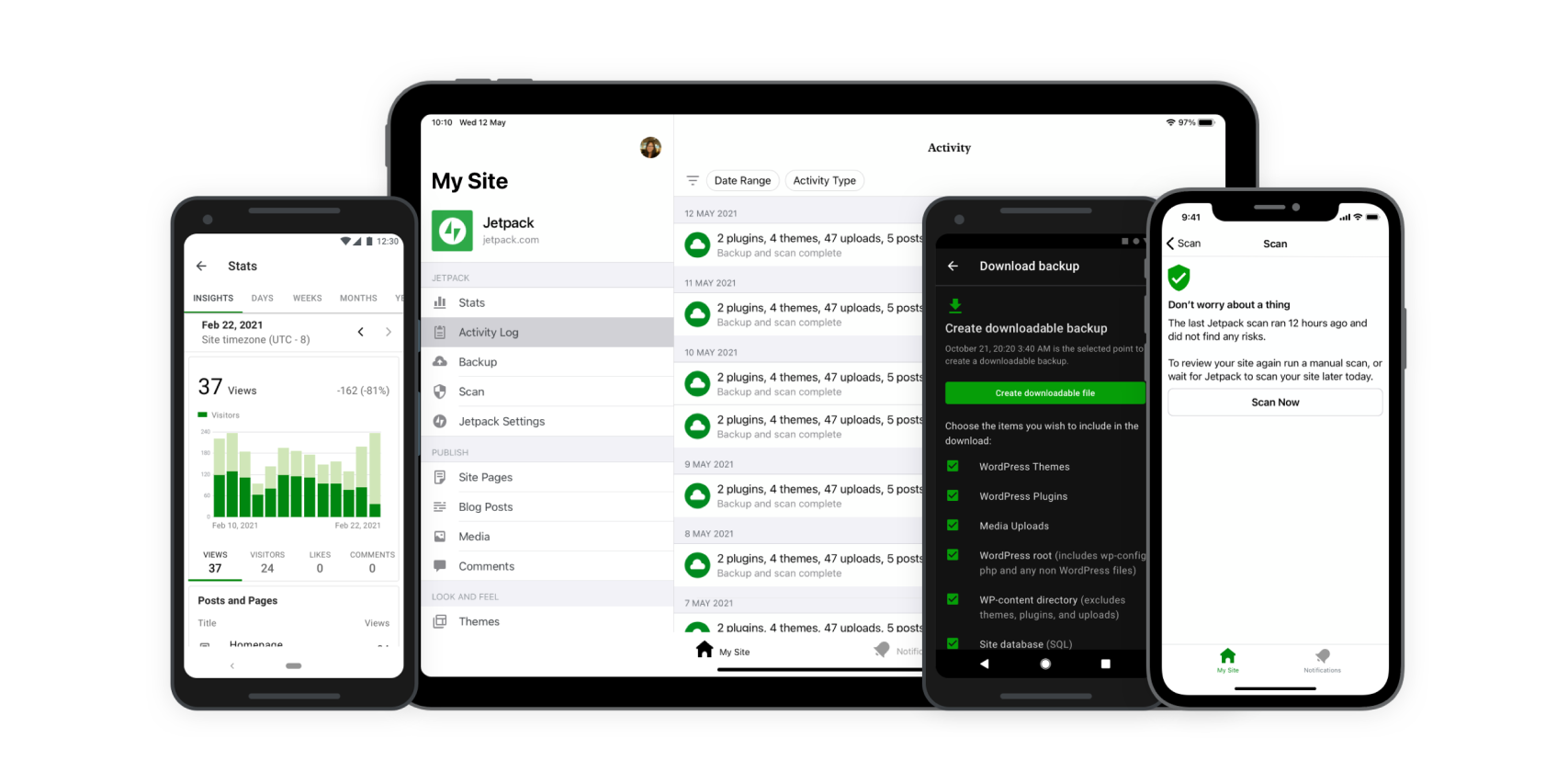
Join Jetpack wordpress Here is Link: Grab your Jetpack for WordPress right here!
For WordPress users, the work involved does not merely end with publishing content. Maintenance of a site encompasses security, speed, marketing, and expansion as well.
Jetpack for WordPress seeks to address all these aspects effectively. Now, if you are considering Jetpack, its efficiency, its features, and what plan may fit you best, you have landed on the right page!
- Get 50% OFF Jetpack for WordPress – Boost Security & SEO Now! 🔥
In this step-by-step tutorial and review, I will guide you through all the features, pricing, pros and cons, and setup process of Jetpack WordPress. 🚀
What is Jetpack for WordPress? 🤔
Jetpack is an all-in-one WordPress plugin developed by Automattic (the creators of WordPress.com). It offers a suite of tools that help you:
- Secure your site from attacks. 🚨
- Boost performance for faster load times. ⚡
- Increase your audience with marketing tools. 📈
- Improve SEO and website analytics. 📊
- Back up your site without hassle. 💾
No matter if it is a personal blog, eCommerce online shop, or a business website you are running, Jetpack always has solutions tailored to different needs.
Breakdown Of Jetpack WordPress Features 🛠️
Let’s discuss the main points of Jetpack and understand their significance.
1. Security Suite 🔒

It is important to keep your WordPress website protected. Jetpack provides:
- VaultPress Backup (10GB storage, real-time backups, and one-click restore)
- Scheduled scanning for dangerous malware and other security threats
- Brute force attack mitigation
- Spam filtration using Akismet Anti-Spam
- Site uptime monitoring and alerts
✅ Best for: WooCommerce stores, membership sites, news sites.
2. Performance Boost 🚀

From setup, Jetpack also works to improve the speed of your site by optimizing the following:
- CDN (Content Delivery Network) that stores and delivers site images and files for faster loading
- Lazy loading images to reduce initial page load
- Browsing site optimization
- SEO and page speed boost module
✅ Best for: Bloggers, portfolio sites, and media-heavy websites.
3. Marketing & Growth 📢

For more business-oriented users wanting to increase their following, Jetpack offers:
- Improved SEO search ranking tools
- Social media accounts linking (post auto-publishing to Facebook, Twitter, and others)
- Email marketing tools and newsletters
- WordAds for ad-supported sites
- Site analytics and visitor details
✅ Best for: Content creators, affiliate marketers, bloggers.
4. AI & Advanced Tools 🤖

Jetpack also adds AI to boost tools and CRM functionalities:
- Human-like content generation for your posts
- Leads tracking CRM (Customer Relationship Management)
- Site search enhancement for added user satisfaction
✅ Best for: Business owners, High-traffic websites.
Jetpack WordPress Plans and Pricing 💰
Jetpack believes in providing separate plans to meet different needs.
| Plan | Price (Monthly – First Year) | Best for |
|---|---|---|
| Security | ₹584.95/month (₹1,754.85 after first year) | Site security, backups, and anti-spam tools |
| Growth | ₹584.95/month (₹1,074.90 after one year) | Engaging audience and social sharing |
| Complete | ₹1,465.95/month (₹6,717.60 after first year) | Comprehensive security, SEO tools, AI tools, CRM solutions |
Jetpack allows you to purchase individual features, such as:
- AI Writing tools – ₹290.95 monthly fee
- VaultPress Backup – ₹290.95/month
- Social tools – ₹290.95/month
- Boost SEO – ₹584.95/month
👉 Get Jetpack for WordPress NOW!
How to Install and Set Up Jetpack on WordPress (Step-By-Step) 🛠️
Getting Jetpack set up is a breeze. Just follow these instructions:
Step 1: Install the Jetpack Plugin
1️⃣ Log in to your WordPress Dashboard.
2️⃣ Click Plugins > Add New.
3️⃣ Search “Jetpack By WordPress.com” and click Install Now.
4️⃣ After installation is completed, click Activate.
Step 2: Pair Jetpack With Your WordPress.com Account
1️⃣ After activating, click Set Up Jetpack.
Step 3: Choose A Plan And Configure Settings
1️⃣ Set up a Jetpack account based on your requirements.
2️⃣ Adjust the settings regarding safety, performance, and marketing.
3️⃣ Activate features such as social sharing, backups, and malware scanning.
🎉 Your site is all set and ready to go! You have now optimized it with Jetpack.
Jetpack for WordPress: The Ultimate Site Booster 🚀
🛡️ All-in-One Security & Performance Plugin
✅ Protect, optimize, and grow your WordPress site with powerful security, speed, and marketing tools – all in one easy-to-use plugin!
🔗 Learn More & Get Started →Jetpack Pros & Cons 🙂
✅ Pros:
✔️ Integrated plugin that takes care of security, speed, and marketing
✔️ Everything under one roof with easy setup
✔️ Works without issue at scale
❌ Cons:
❌ Beginner users can find these features intimidating to use
❌ Uses more resources than allocated while on a shared server
❌ Higher tiers come at a cost
Jetpack WordPress FAQs ❓
Is Jetpack completely free to use?
Yes. Jetpack provides free tier accounts that have minimal features. Paid plans, however, will give enhanced security, SEO, and marketing features.
Will Jetpack slow down WordPress?
Not at all, and for good reasons! Jetpack’s CDN, lazy load, and speed boosters will do just the opposite.
Is a WordPress.com account mandatory to use Jetpack?
Jetpack cannot be used fully without connecting to a WordPress.com account.
Which Jetpack plan is the most suitable for WooCommerce?
For WooCommerce stores, the Security or Complete plans are ideal because they offer real-time backups, anti-spam, and performance tools.
Is Jetpack useful for bloggers?
Certainly! Bloggers do benefit from Jetpack. With social sharing, SEO tools, and analytics, Jetpack is perfect for those bloggers looking to expand their reach.
Final Verdict: Should You Use Jetpack for WordPress? 🏆
Without a doubt, Jetpack is one of the best WordPress plugins to enhance website security, performance, or marketing. It is well worth the investment, and if you value your website, protecting it should be a priority.
🔥 Recommended Plan: The Security or Complete plans offer the best value for money.
💬 I would love to hear your thoughts in the comments: Are you using Jetpack? What has it been like for you? 😊
Connect here https://kukucourses.com/support/